Most user personas die on a wall. Teams invest weeks building them, print them on poster board, then quietly stop using them. Within a quarter, no one on the product team can tell you the persona's top three pain points. Within a year, the persona describes users who no longer exist.
The problem isn't personas as a concept. It's that most personas are built as deliverables instead of decision tools, then left alone until someone notices they're out of date.
This guide covers what user personas are, the different types you'll run into, how to build them properly, and (the part most guides skip) how to keep them alive once they exist. It's written for CX leaders, product managers, service designers, and UX researchers who've already used personas in some form and want to make them earn their keep.
What is a user persona?
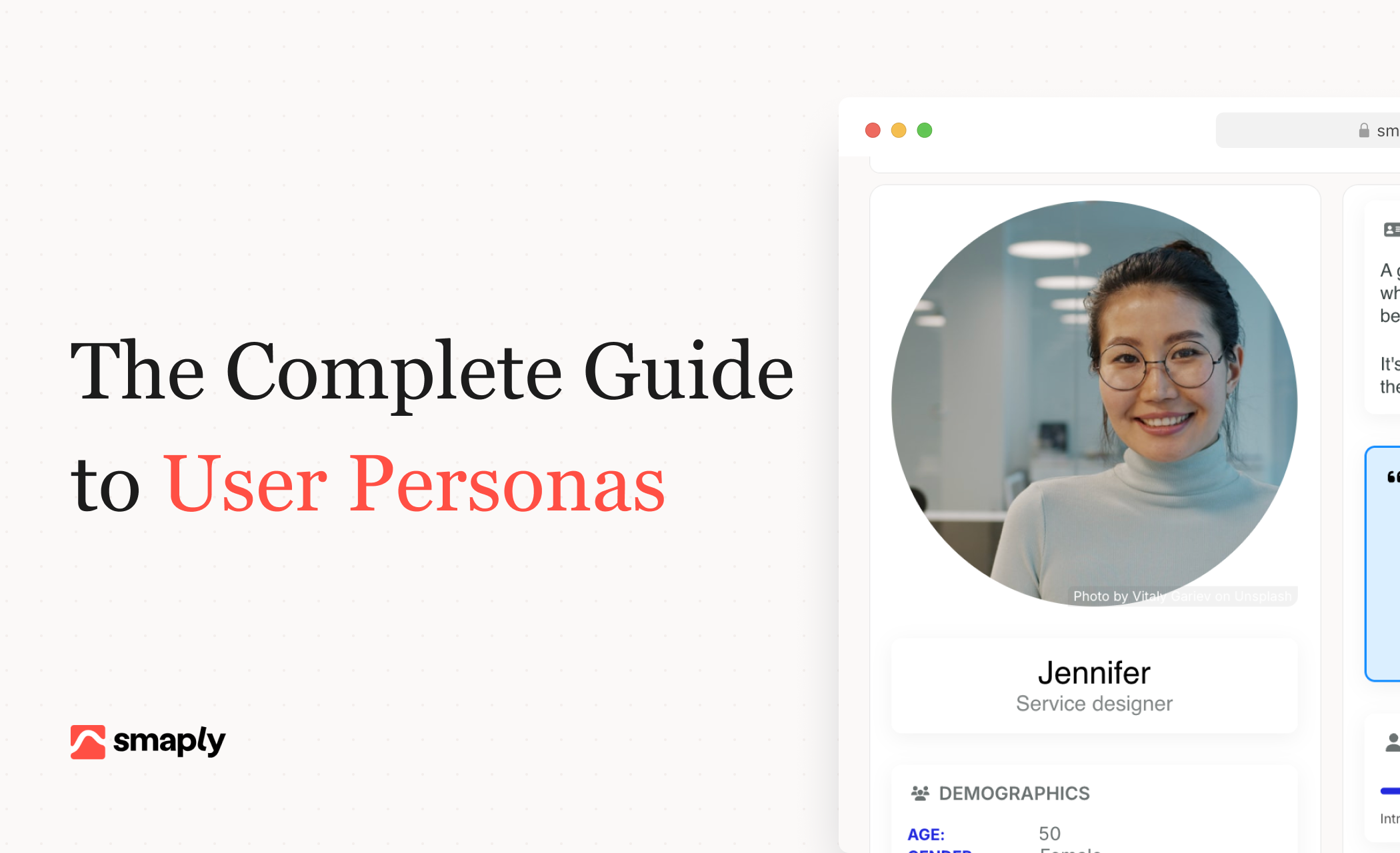
A user persona is a research-based, fictional representation of a key user segment, built to help teams understand who they're designing for and why.
Each persona stands in for a group of real users who share similar goals, behaviors, and constraints. The fictional wrapper (a name, a photo, a short profile) is shorthand. The substance is the research underneath.
The concept comes from Alan Cooper, who introduced personas in the late 1990s to solve what he called the "elastic user" problem. When every team member pictured a different user, product decisions got stretched to accommodate all of them. No one's needs got met properly. Personas gave teams a shared, specific user to design for.
A persona is not:
- A demographic profile. Age, location, and income rarely predict how someone uses a product.
- A marketing segment. Segments describe groups. Personas describe a person.
- A guess. If it's not grounded in research or observation, it's a hypothesis (a proto-persona), not a validated persona.
- A deliverable. A persona that doesn't change decisions is decorative.
Why user personas matter
Personas solve a few problems that show up in most product and CX teams.
They create shared language. When product, design, research, and marketing all refer to "Maya" instead of "the user," alignment gets faster. You're no longer arguing about abstractions.
They prevent self-referential design. Left to their own instincts, teams build for themselves. Personas force the question: would Maya actually use this? Would she find it? Would she care?
They make trade-offs explicit. When you can't please everyone, a persona tells you who to prioritize. That's its most valuable function in product work.
They connect research to decisions. A shelf of interview transcripts doesn't influence a roadmap. A persona built from those transcripts, referenced in planning meetings, does.
Here's the honest version: personas earn their keep only when they change what you do. Decorative personas, the kind that sit in a Confluence page no one opens, are worse than having no personas at all. They create false confidence. Teams believe they're user-centered because personas exist somewhere, even though no one uses them.
What goes into a user persona
Personas vary in format, but the useful ones share the same core components. Everything beyond these core items is optional and should earn its place.
| Component | What it contains | Why it matters |
|---|---|---|
| Name and photo | A human name and a realistic image or illustration | Shorthand the team can use in conversation. "Designing for Maya" is faster than "designing for the mid-market CX lead segment." |
| Role or context | Job title, life stage, or situation that defines their relationship to the product | Grounds the persona in a specific context. Different roles have different constraints and goals. |
| Goals | What the user is trying to achieve with your product or in their broader work | Tells you what success looks like for them. Shapes feature prioritization. |
| Motivations | Why they want to achieve those goals | Explains behavior you can't predict from goals alone. Two users with the same goal can act differently based on motivation. |
| Pain points | What's currently blocking them or causing friction | The raw material for opportunities. Pain points connect personas to problems worth solving. |
| Behaviors | How they actually act, not how they should act | Behavior patterns predict how they'll use your product. More useful than attitudes. |
| Context | When, where, and under what constraints they work or engage | Surfaces real-world limitations (time, device, environment) that change what's usable. |
| Quote | A direct line from research that captures their perspective | Grounds the persona in real voices. Keeps the team from drifting into caricature. |
Beyond these core attributes, optional fields can add value when they affect decisions. Demographics (age, location, income) are worth including only when they predict behavior, not as filler. Tech fluency, preferred channels, jobs-to-be-done framing, and specific scenarios can all be useful when the persona is driving product or service decisions that depend on them.
The test is simple. For every field you include, ask: would a design or product decision actually change based on this? If not, cut it. A lean persona that tells the team what they need to know is more useful than a four-page document no one reads.
Types of user personas
Personas aren't a single format. Practitioners use different types depending on the research budget, the decision being made, and what a team already knows about its users.
Proto-personas are built from team knowledge and assumptions, without primary research. They capture what the team currently believes about users. Proto-personas are often treated as a lesser version of "real" personas, but they have a legitimate role. When you're early in discovery, or when research is constrained, proto-personas give the team a shared hypothesis to work from. The critical move is to validate them with research later, not to pretend they're grounded when they're not.
Research-based personas are validated against real users through interviews, observation, surveys, or analytics. These are the default for any persona meant to drive decisions with real cost (product bets, major service changes, go-to-market strategy).
Goal-based personas (Cooper's original formulation) are organized around what users are trying to accomplish. Everything in the persona supports understanding that goal and what stands in its way. This framing keeps personas focused on outcomes rather than demographics.
Role-based personas are organized around jobs or functions. Common in B2B, where the product serves different roles (admin, end user, approver) with different needs. Useful when role is the strongest predictor of behavior.
Primary, secondary, and negative personas serve different purposes within the same product. The primary persona is the one you design for first: if the product works for them, it succeeds. Secondary personas get considered but don't drive the primary design direction. Negative personas define users you're explicitly not designing for. Being clear about who you're not targeting prevents scope creep into segments that will never be profitable or strategic.
Data-driven personas are built from analytics clustering and quantitative segmentation. Useful when you have enough users and behavioral data to find statistical patterns. They complement qualitative research rather than replacing it. Numbers tell you what patterns exist. Interviews tell you why.
Most teams end up using a combination. Proto-personas to start, research-based validation once there's budget, and a mix of goal-based and role-based framing depending on whether the product primarily serves outcomes or roles. The choice between proto-personas vs research-based personas often comes down to where you are in the product lifecycle and what the cost of being wrong looks like.
User persona vs buyer persona vs customer persona
These terms get used interchangeably, which causes confusion. They're related but describe different things.
- Who uses the product
- Built by UX, research, product
- Drives design and feature decisions
- Who makes the purchase decision
- Built by marketing and sales
- Drives positioning and messaging
"Customer persona" is the umbrella term that sometimes means buyer, sometimes user, sometimes both. When someone says "customer persona" without context, ask which one they mean.
The distinction matters most in B2B. The user (the analyst who spends 30 hours a week in your product) and the buyer (the VP who signed the contract) are different people with different needs. Design decisions that optimize for the buyer's checklist can make the product worse for the daily user, and vice versa. Teams that conflate the two miss one of the roles entirely.
If you're writing marketing copy, you probably want a buyer persona. If you're deciding what to build or how to structure a workflow, you want a user persona. Having both is usually better than trying to collapse them into one "customer persona."
How to create user personas
The process looks roughly the same across most teams. The quality of each step is what separates personas that drive decisions from personas that sit in a folder.
1. Define your purpose and scope
Before you start, decide what decisions the personas will inform. Which product, feature area, or segment are you building for? What trade-offs should they help the team make?
Avoid building "company-wide" personas that try to serve every team and every decision. Those end up too generic to be useful. Scope tight: personas for the onboarding redesign, personas for the new enterprise segment, personas for the self-serve product line.
2. Choose proto-personas or research-based
Set the ambition level based on your context. If you're early in discovery, if the decisions are reversible, or if research budget is tight, proto-personas give you a shared starting point quickly. If the decisions carry real cost (a major pivot, a feature that takes a quarter to build, positioning against a new competitor), research-based is worth the investment.
One pragmatic approach: start with proto-personas to align the team on hypotheses, then validate and refine through research before making bigger commitments.
3. Gather research
For research-based personas, triangulate across multiple sources:
- Interviews (5 to 8 per segment is a common benchmark for qualitative saturation)
- Observational research (watching users work, either in person or via session recordings)
- Surveys (useful for sizing and validating patterns, less useful for discovering them)
- Support tickets and sales call notes (cheap signal about real friction points)
- Behavioral analytics (what users actually do, not what they say they do)
Relying on one source creates blind spots. Interviews reveal motivation but can miss frequency. Analytics show frequency but can't explain why. Combine them.
4. Find patterns and segments
Group users by behavior and goals, not by demographics. A 45-year-old CX director at a consultancy and a 32-year-old CX manager at a bank can belong to the same persona if they're solving the same problem in the same way. Demographics describe. Behavior predicts.
Look for clusters around goals, decision criteria, constraints, and patterns of use. You're looking for distinctions that will produce different product decisions. If two apparent segments would lead to the same design choices, they're probably the same persona.
5. Build the persona from patterns
Once you have clear segments, turn each into a persona. Keep it to one page or slide. Include the core components (name, role, goals, motivations, pain points, behaviors, context, quote) and cut anything that doesn't change a decision. Use real quotes from research to anchor each persona in actual user language.
The mistake to avoid here is over-specification. Teams that include favorite hobbies, brand preferences, and a backstory for the persona's cat end up with artifacts that feel like creative writing exercises. Stick to the attributes that matter for decisions.
6. Validate and share
Test the persona two ways. First, validate with real users: show it to people who should fit the profile and ask "does this sound like you?" Second, validate with the team: share the persona alongside the decisions it's meant to inform. If the team can't articulate what the persona changes about their work, the persona isn't useful yet.
How many personas do you need
Three to five is typical for most products. More than seven and you've probably confused segments with personas. Fewer than two and you're probably back to the elastic user problem, designing for an abstract everyone. The right number is the smallest set that covers meaningful differences in user behavior and goals without duplicating.
User persona examples
These are simplified examples to show the structure, not templates to copy directly. Real personas should be grounded in research from your users.
Example 1: Primary user persona (research-based)
| Field | Content |
|---|---|
| Name | Maya Chen |
| Role | Head of Customer Experience at a mid-market financial services firm |
| Goals | Turn CX research into decisions leadership acts on. Move the team from one-off workshops to a continuous practice. |
| Motivations | Proving CX is operational, not theatrical. Getting promoted to a director-level seat. |
| Pain points | Research sits in silos. Journey maps get built, presented, then forgotten. Can't trace which initiatives came from customer insight. |
| Behaviors | Runs monthly journey reviews. Presents to leadership quarterly. Rewrites her team's OKRs every half. |
| Context | Three-person CX team. Enterprise tooling already in place (Jira, Confluence, Power BI). Limited research budget. |
| Quote | "We've done the research. The problem is what happens next." |
Example 2: Secondary user persona
Tom is a service designer at a consultancy. He builds journey maps and personas for clients, usually under tight delivery timelines. His goals and constraints overlap with Maya's in places (both care about maps that drive action) but differ in others (he hands the work off at the end of an engagement rather than living with it). Tom gets considered in design decisions but doesn't drive them.
Example 3: Negative persona
Alex, the CMO focused purely on acquisition funnel metrics, is explicitly not the target user for a customer experience management platform. Alex cares about MQLs and CAC, not journey health or cross-functional alignment. Identifying Alex as a negative persona stops the team from chasing feature requests that would pull the product away from its core value for Maya and Tom.
Three personas (one primary, one secondary, one negative) is enough to guide most product decisions without over-populating the set. Real persona development should include more research grounding, more specific behavioral detail, and several validation rounds.
How user personas connect to journey maps
Personas and journey maps work together. On their own, each is weaker.
A persona answers who. A journey map answers what they experience. Without a persona, a journey map describes a generic "user" and ends up covering pain points that don't actually belong to anyone specific. Without a journey, a persona is a character profile without context.
The default pattern is one journey map per persona. Maya's onboarding journey is different from Tom's. They face different touchpoints, different pain points, different moments of truth. Combining them into one map produces an average user who doesn't exist.
Multiple personas on the same journey map works when the journeys are genuinely similar but the experiences diverge. For example, two personas might move through the same sales funnel but face different frictions: one gets stuck on pricing complexity, the other on integration risk. A single map with persona-specific lanes can surface both without duplication.
Filtering journey views by persona is how teams spot segment-specific pain points that a single combined view would hide. If you've ever looked at an aggregated NPS score and thought "but who's actually unhappy?", you've hit the limit of combining personas. Persona-based journey views solve that by letting you see the same journey through each segment's lens.
The practical discipline is to build personas before journey maps, not the other way around. Teams that map first and add personas later usually end up with generic maps retrofitted to personas. Teams that start with personas build maps grounded in specific users from the start.
Common mistakes with user personas
- Building from assumptions instead of research. Proto-personas are fine as a starting point if you treat them as hypotheses. Treating guesses as validated personas is how teams end up designing for imaginary users.
- Including details that don't change decisions. Favorite food, hobbies, family composition, personality type. If a field doesn't influence a product or design choice, it's decoration. Cut it.
- Creating too many. Seven or more personas usually means you've found segments, not personas. The team can't hold them in mind, so they default to "the user" again.
- Creating one generic persona. Equally bad. One persona covering every possible user is just the elastic user in disguise.
- Letting personas drift from reality. Personas built three years ago describe a market that no longer exists. Usage patterns, demographics, and goals shift. So should the personas.
- Using personas as deliverables. If the persona was the end product, it was probably a design exercise rather than a decision tool. A useful persona is a reference, not an artifact.
- Confusing user and buyer personas. Building a buyer persona and calling it a user persona (or vice versa) leaves one of the roles unaddressed. In B2B especially, this shows up as product decisions that optimize for the sale but make the daily experience worse.
- Pinning them on a wall and never referencing them. The failure mode of almost every persona program. Creation gets celebrated. Operating gets skipped.
Keeping user personas alive
Most guides on user personas stop at creation. The part that matters more, and that most teams skip, is keeping them current and in use.
Set a review cadence. Revisit personas every six to twelve months, or whenever a major product or market shift happens. A new segment launching, a significant usage pattern change, a product pivot. The review doesn't need to rebuild the persona from scratch (that wastes work), but it should test every key attribute against fresh evidence.
Watch for validation signals. Customer support ticket language, sales call recordings, and analytics cohort behavior all carry signal about whether personas still match reality. When support starts hearing complaints that don't fit any persona's pain points, the personas are out of date. Teams that monitor keeping personas updated as part of normal operations catch drift earlier than teams that wait for annual reviews.
Assign ownership. One person or team should own each persona. Usually product, research, or CX. Without an owner, personas go stale by default, because no one is specifically responsible for asking "does this still hold?" Ownership doesn't need to be senior, but it needs to be explicit.
Embed personas in day-to-day work. Reference them in briefs, PRDs, prioritization meetings, OKR discussions, and journey maps. Require that every major product decision specify which persona it's serving. Personas used weekly stay alive. Personas consulted annually for a review don't.
Watch for signs they're dying. The team stops using the persona's name in conversation. New hires can't identify the personas. Research contradicts the persona and no one updates it. A persona that's decorative rather than operational will fail these tests, and that's the signal to either revive it through use or retire it.
When user personas fail
Personas fail in predictable ways. The patterns are worth knowing because they show up early, and the cost of addressing them later is high.
When built from assumptions. A persona grounded in what the team thinks users are like, rather than what research shows, misleads rather than guides. Decisions made from it point in confidently wrong directions.
When over-detailed. When the persona profile runs to three pages and includes life history, brand preferences, and a backstory, teams remember the wrong details. The persona becomes a character study rather than a decision tool.
When too broad. A single persona representing "the user" isn't a persona. It's the elastic user wearing a nametag. The whole point of personas is to force specificity.
When siloed. If only the UX team uses personas, they don't align the organization. Product, marketing, research, and CX should all reference the same personas, even if each team uses them slightly differently.
When stale. Personas built three years ago, describing users in a context that no longer exists, are worse than no personas. The team still references them, but the reference is misleading.
Either rebuild it from current evidence and put it into active use, or remove it. Decorative personas create false confidence in being user-centered. That's worse than admitting you don't have personas.
Personas earn their keep when they change decisions. If yours aren't doing that, it's almost always a problem with how they're built, maintained, or used, not with personas as a concept. Rebuild the weakest link, put the personas back into active circulation, and the returns compound from there.
How many user personas should I have?
Three to five is typical for most products and services. More than seven usually means you've confused segments with personas (you'll find the team can't hold them all in mind). Fewer than two and you're probably still designing for "the user." The right count is the smallest set that captures meaningful behavioral differences without duplication.
What's the difference between a user persona and a buyer persona?
A user persona represents the person who uses the product (relevant for UX, design, and product decisions). A buyer persona represents the person who makes the purchase decision (relevant for marketing and sales). In B2B especially, these are often different people with different needs. Having both is usually better than collapsing them into one.
Can I use AI to generate user personas?
AI is useful for accelerating synthesis (extracting themes from interview transcripts, clustering survey responses, finding patterns in support tickets) but it can't replace the underlying research. Personas generated purely from generic prompts, without grounding in your actual users, end up being plausible-sounding fiction. Use AI to do more with the research you already have, not to skip research entirely.
How often should I update my user personas?
Every six to twelve months as a default, plus whenever a major shift happens (a new segment, a pivot, a significant usage pattern change). The review doesn't need to rebuild the persona from scratch, but it should test key attributes against recent research, support data, and behavioral analytics.
Do I need user personas if I have customer journey maps?
Yes. Personas answer who; journey maps answer what they experience. Without personas, journey maps describe a generic user and tend to surface pain points that don't belong to any specific segment. The two work together. Most teams find that one journey map per persona is the default pattern, with multiple personas on the same map when the journeys genuinely overlap.
What's a proto-persona and when should I use one?
A proto-persona is built from team knowledge and existing assumptions, without primary user research. It's a hypothesis, not a validated artifact. Proto-personas are useful when you're early in discovery, when decisions are reversible, or when research budget is tight. Validate them with research before using them to make bigger commitments.
What makes a good user persona?
Grounded in research, focused on behaviors and goals rather than demographics, lean enough to fit on one page, and (most importantly) actually referenced in product and design decisions. The strongest test is simple: can the team point to a decision this persona changed? If yes, it's working. If no, it's decorative.